How to Add a Bio Description

Creating Your Bio

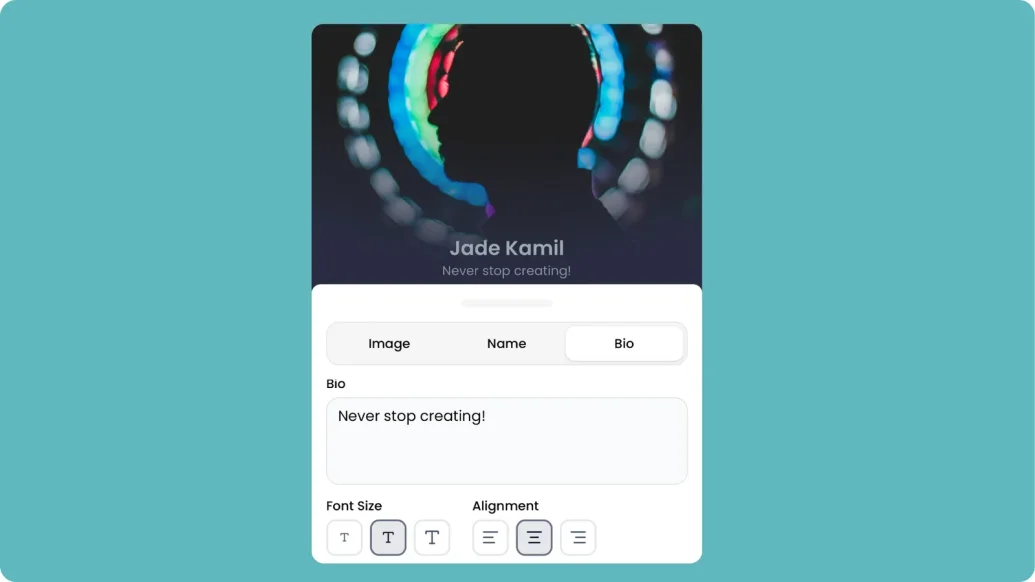
Your bio is one of the first things visitors see when they land on your hoo.be profile. Use it to introduce yourself, share what you do, or add any important details about your brand.

Steps to Add or Edit Your Bio

  1. Hover over the bio area on your hoo.be profile
  2. Click the edit "pencil" icon to open the text editor
  3. Type or edit your bio in the provided text field
  4. Use the formatting options if needed (bold, italic, links)
  5. Click "Save" to publish your changes

Bio Best Practices

  • Keep it concise: Aim for 2-3 sentences that capture who you are
  • Be authentic: Write in your own voice
  • Include a call-to-action: Encourage visitors to explore your links
  • Update regularly: Keep your bio current with your latest projects

Customizing Your Bio

To adjust the font size of your bio:

  1. Click the gear icon or go to the Customize tab
  2. Navigate to Font Settings
  3. Select your preferred font size
  4. Changes will automatically be applied to your profile

Bio Formatting Options

  • Bold text: Highlight important information
  • Italic text: Add emphasis
  • Links: Add clickable links to your bio
  • Line breaks: Structure your bio for readability

Update your bio anytime to keep your audience informed and engaged.

Can't find what you're looking for?

Submit a support ticket and we'll get back to you.