Available on: All Plans (Some image size and style options are available on Pro and Premium)
Your profile image appears at the top of your hoo.be page and helps visitors recognize you instantly. You can update it at any time to keep your page current.
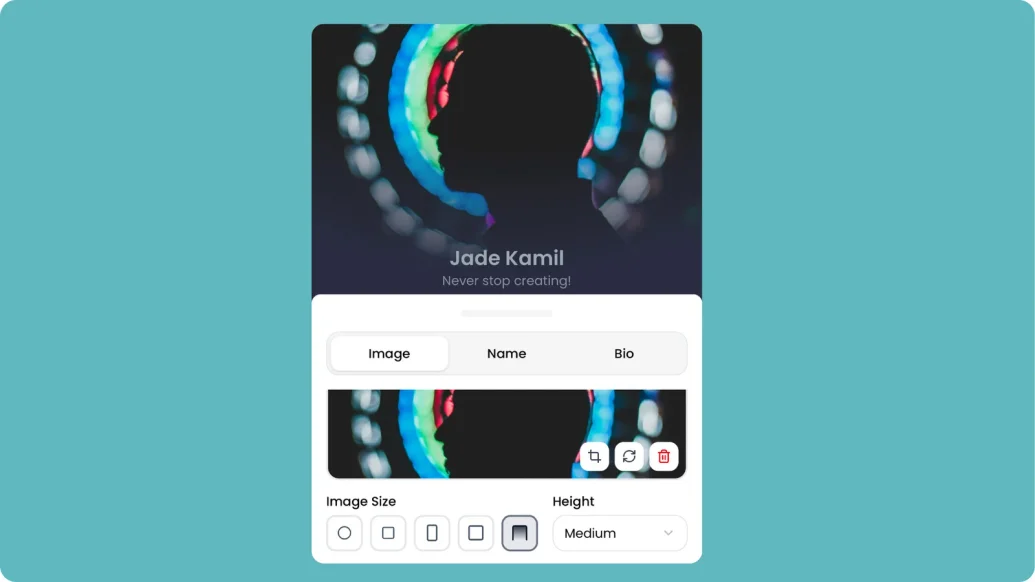
How to Change Your Profile Image
Steps:
Log in to your hoo.be account at hoo.be/login
Go to My Pages
Click the page you want to edit
Click your profile image or the pencil icon next to it
Select Upload Image to upload a new photo
or choose Remove Image to clear the current one
Adjust the image size and style (optional)
Save your changes
Image Requirements
Recommended size: 400 × 400 pixels or larger
Formats supported: JPG, PNG, WebP
Maximum file size: 5MB
Aspect ratio: Square (1:1) works best
Optional Customization (Pro & Premium)
Pro and Premium users can access additional profile image options, including:
Image size variations
Different image styles and layouts
⚡ This option is available on Pro and Premium plans.
Troubleshooting
If your image doesn’t upload:
Confirm the file meets size and format requirements
Try a smaller file size if the upload fails
Refresh the page and try again