You can remove links from your hoo.be page or fully delete them from your account. Depending on whether you want to reuse a link later, you can either archive it or delete it permanently.
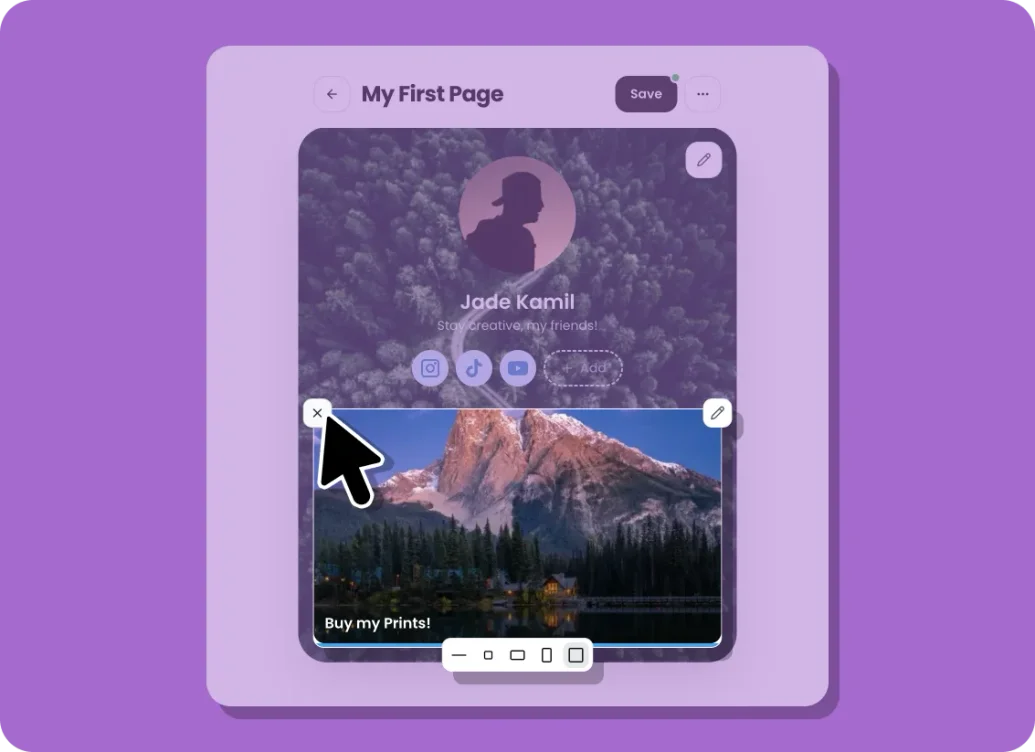
Remove a Link From Your Page (Permanent Delete)
If you no longer want a link on your page and don’t need it again:
Steps:
Go to My Pages.
Open the page you want to edit.
Hover over the link block you want to remove.
Click the X icon on the block.
The link will be permanently deleted.
This action removes the link completely and cannot be undone.
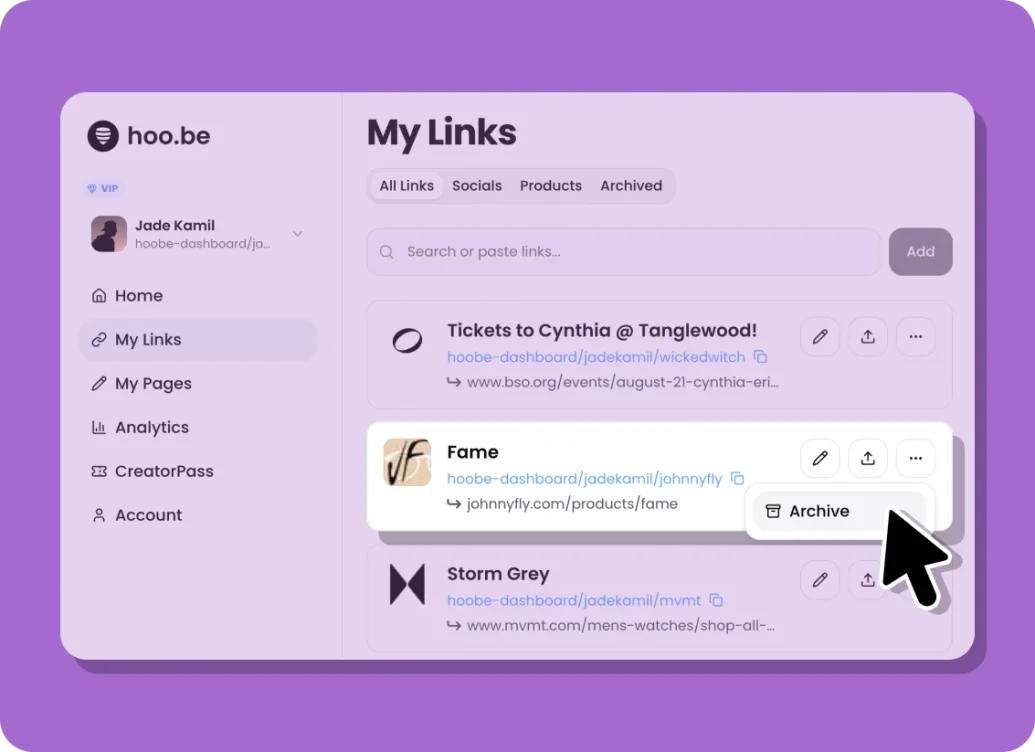
Archive a Link (Save for Later)
If you want to remove a link from use but keep it for later:
Steps:
Go to My Links.
Find the link you want to remove.
Click the three dots next to the link.
Select Archive Link.
The link will be removed from active use and moved to the Archived tab. You can restore it anytime.
Restore an Archived Link
Steps:
Go to My Links.
Open the Archived tab.
Click the three dots on the archived link.
Select Restore.
Once restored, the link can be added back to your page.
Important Notes
Removing a link from your page deletes it permanently.
Archiving keeps the link available for future use.
Archived links do not appear on your page until restored.