Available on: All Plans
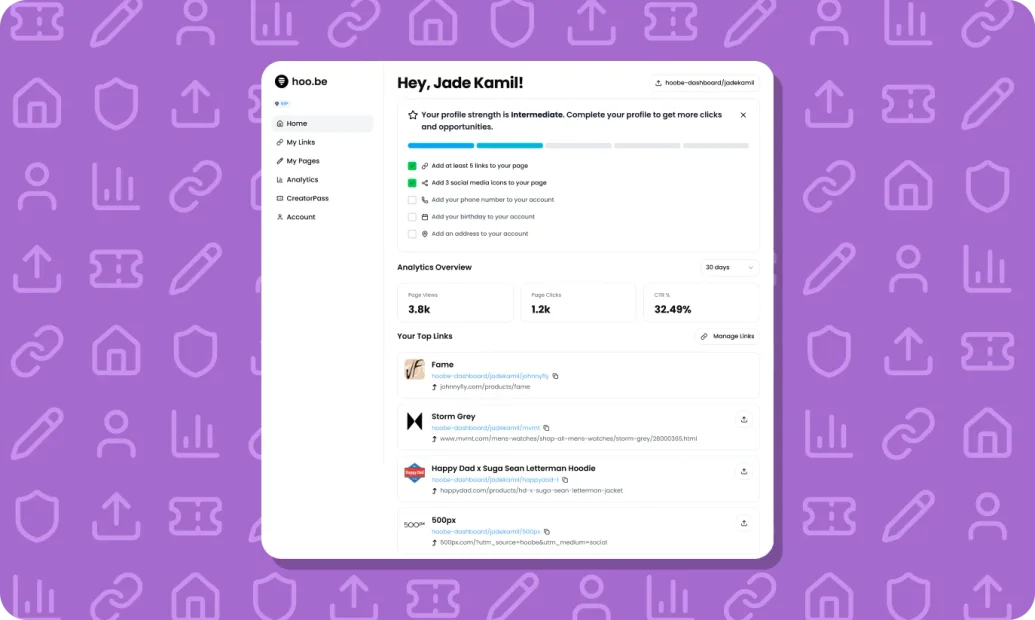
The Creator Home Page is your main dashboard for managing your hoo.be profile. It gives you a quick view of your performance, top links, and tools to update your page efficiently.
What You Can Do from the Creator Home Page
View your profile performance at a glance
See your top-performing links
Share links directly from your dashboard
Access page editing and link management
Track engagement and activity over time
Pro users can also access additional link tools directly from this view.
How to Access the Creator Home Page
Log in to your hoo.be account.
You’ll land on the Home page by default.
Use this page as your central hub for analytics, links, and edits.
📸 [GIF Placeholder — Login → Creator Home Page Overview]
Analytics Overview
From the Home Page, you can quickly see:
Page views
Link clicks
Click-through rate (CTR)
Use the date selector to adjust the time range.
Managing and Sharing Links
Your Top Links section shows which links are getting the most engagement.
Click Manage Links to view, edit, reorder, or add links in the My Links section.
Use the Share icon on any link to quickly copy or share it.
Profile Strength Meter
New accounts will see a Profile Strength checklist at the top of the page.
This helps guide you through key setup steps to complete your profile and improve performance.